Photos Cut Off in Your Song Video? Choose a Frame Before Adding Motion
DedicatieMuzicala ·
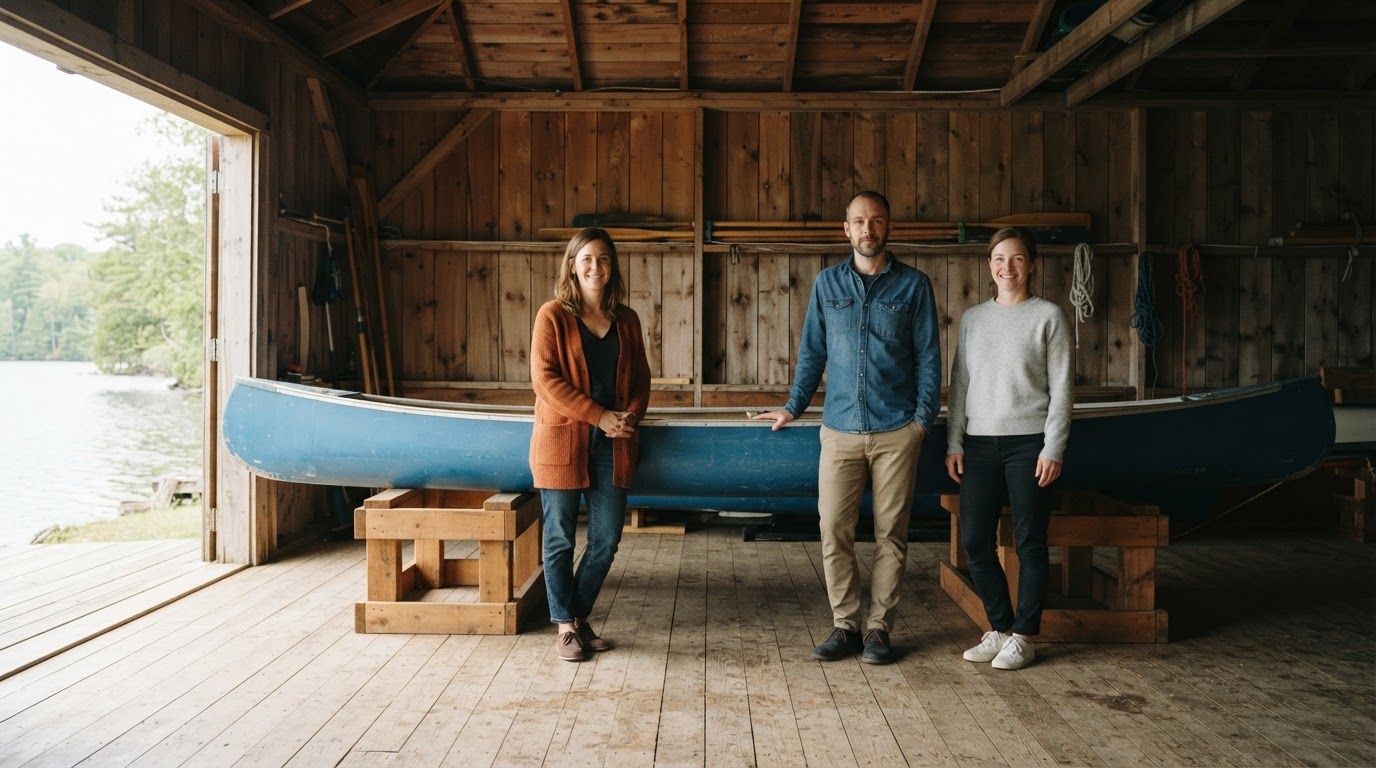
If an important edge disappears in your song video, check when it happens: in the source photo, in the opening frame, or only later during motion. Each points to a different next move, and no format or setting guarantees that every edge will stay visible.
Diagnose the crop by when it appears
Compare the original photo with the opening frame, then with a later frame. If the detail is missing from the original, the source is already cropped; if it appears in the original but not at the start, automatic fitting or the chosen format may be responsible; if it disappears only later, background zoom may be adding the crop.
This distinction matters because turning motion off cannot restore detail that was missing from the source or cropped in the first frame. Automatic fitting can still crop edges with motion off, even when the photo and video have similar shapes.
Worked case: keep the whole group and canoe
Imagine a wide boathouse photo of fictional adults Eva, Miro, and Jo beside their long blue canoe. All three people and both canoe ends are visible in the original, but the vertical video’s opening frame loses Eva at one edge even with slow zoom already off. The priority is keeping all three friends and the complete canoe—not filling a phone screen with the foreground.
If the intended viewing context allows it, try Format: Wide with the same source photo and background zoom off. Inspect the opening frame. If the static edge loss remains, make a separate change: choose another complete group photo with more breathing room around the people and canoe. Compare one change at a time so you can tell what helped. A wider format may suit the composition, but it does not guarantee uncut edges; do not silently leave out a friend to make the frame look tidier.
When the opening is complete but a detail vanishes later
If the first frame shows the full group and canoe but a slow zoom later pushes a head or canoe end out of view, the extra motion may be the cause. In More settings, switch Slow zoom on the background off, then inspect the result from beginning to end if you decide to generate it.
Turning off zoom stops that additional motion; it does not fix a crop already present in the source or opening frame. The example is a troubleshooting scenario, not a controlled render comparison, and another generation is not guaranteed to preserve every detail.
When the source photo is already clipped
If the original itself cuts off Jo’s head or one end of the canoe, neither a wider video format nor motion off can bring back the missing pixels. Choose a better, complete source photo, or set that image aside if it cannot show the people or object edges you need.
A sharp central image over a blurred, darker copy of the photo is a fitting treatment, not recovered edge detail or an extra person. Some background around a complete group is preferable to filling every corner by cutting off someone important.
A reusable framing note, already filled in
Source complete? Yes. Opening frame missing? Eva at the edge in Vertical, with slow zoom already off. Later motion missing? Not checked yet. Must keep: Eva, Miro, Jo, and both blue canoe ends. One next change: switch only Format to Wide, keeping the same source and zoom off. Acceptance check: inspect the opening and ending frames; if static edge loss remains, test a roomier complete group photo separately. Defer the image if no source keeps the group recognizable.
For another photo, copy this note: Source complete? [yes/no]. Opening frame missing? [detail]. Later motion missing? [detail]. Must-keep people or object edges: [list]. One next source, format, or motion change: [one change]. Accept or defer: [decision and reason]. If text covers a face without cutting off the photo itself, treat that as a text-layout issue rather than an edge-crop diagnosis.
Where to check the video controls
For an eligible unlocked song, open the lyric-video controls and use Upload your photos to add JPEG, PNG, or WebP images, up to ten. Under Format, choose Vertical, Square, or Wide; under More settings, find Slow zoom on the background. There is no manual crop-position or padding control, so choose a source and format that suit the composition, then inspect the actual video rather than assuming the whole photo will fit.
The framing cases are written hypothetical examples. The cover is one conceptual still, and the listening example illustrates only the original fictional boathouse song; neither demonstrates a finished lyric video or a before-and-after framing comparison.
Fictional example
Fictional example: The Canoe Put Away
Eva, Miro, and Jo are three fictional adult friends in a quiet lakeside boathouse. After a day together, they have already placed their long blue canoe on low wooden storage racks. They pause beside it, glad to see the boat settled safely in its place, with the canoe ends and everyone in view. The room is calm, daylight comes through the open doorway, and no one is on the water or carrying the boat. Their small moment is about patience and shared effort: taking time to put equipment away and appreciating a job finished together. This imagined scene is a writing prompt, not a real trip or customer story.
The blue canoe rests on the racks The boathouse holds the quiet light We take our time and check each end And set the paddles out of sight Eva smiles; Miro steps back Jo sees the boat is settled well No finish line, no miles to claim Just care in every task we share The still lake waits beyond the door We leave things ready, side by side
Listen to the example
Fictional example: The Canoe Put Away · English
Fictional example
The blue canoe rests on the racks The boathouse holds the quiet light We take our time and check each end And set the paddles out of sight Eva smiles; Miro steps back Jo sees the boat is settled well No finish line, no miles to claim Just care in every task we share The still lake waits beyond the door We leave things ready, side by side
Frequently asked questions
Can turning off slow zoom bring back a face cropped in the opening frame?
No. Turning off Slow zoom on the background stops extra motion, but it cannot restore detail missing from the source or already cropped in the opening frame.
Should I choose Wide for a group photo?
Wide may suit a group spread across a landscape photo, but it does not guarantee that every edge will remain visible. Check the opening frame and use a roomier complete source if needed.
What if the original photo already cuts off a person or object?
Choose another complete source photo if that detail must be shown. A video format or motion setting cannot recover image content that is absent from the original.